Announcements:

I am currently writing at Computelogy.com actively and that's why i sort of abandoned my own tech blog. Since i am too busy to be taking care of both sides, i guess this blog will go into hibernation for a very very long time. Regrettable, but then it's hard to come up with new posts & stuffs.

So once again, i am now writing actively at Computelogy. Feel free to visit there and enjoy our latest articles and posts!

May 30, 2009

Laptop GMA Gaming Accelerator for Overclocking Laptop's Graphic Displays

One of the main reasons we do not encourage users who play high-end PC games on a laptop is because of its integrated graphic cards. Some of the laptops in the market have intel's graphic chipset integrated into it, and let's be honest: laptops with integrated Graphic Media Accelerator (GMA) are not capable of playing state-of-the-art high-end games such as Crysis and Call of Duty.

User Interface of an Intel GMA 950 chipset properties box.

There are some differences between Intel GMA chipsets and possibly only a handful of PC geeks knew of it: some chipsets such as the GMA 950 (the graphic card of my own Compaq Presario V3000 series laptop) support Vista's Windows Aero and QuartzGL, which both can render a solid performance in gaming experience while older chipsets do not. The reason for the shortcomings of those older chipset is because many of this Intel chipsets have been underclocked to 133/146 MHz instead of the optimum 400 MHz.

GMA Booster is a software developed by Shell City which can boost chipset clock to 400 MHz without voltage changes or affected system stability as normal hardware overclocking does. The program has been tested to be working with the following chipsets: Intel 945GM/GME/GMS/GSE and 943/940GML/GU Express featuring GMA 950

Screenshot of the effects of running GMA Booster. Click for larger image

Remember, however, that theories put down on paper does not always goes along with real-life situations. GMA Booster boasts an improvement of 240% aka 2.4 improvement in performance, but the degree of increase in performance is highly dependant on the Intel graphic chipsets on the laptop. For example, some users may have a 2.2 increase in multitexture-rendering performance and a 1.8 increase in Pixel Shader Frames per second. Having said that, it is sufficient to conclude that there is more or less, a visible improvement over graphic performance!

The only nuisance is that the developers let the software expire frequently (every 7 days if i'm not mistaken). The only option in this case is to download the latest version from the developer’s homepage again.

GMA Booster works only on a 32-bit Windows system with Microsoft.NET Framework v2.0 or higher installed. It also works with computers running a Mac OS and a Linux.

To download GMA Booster for Windows, click on the download link below:

GMA Booster for Windows (32-bit)

To learn more, visit the official website
Read more >>

April 9, 2009

Download from Flickr easily via zFlick


There are many software which offers download functions to picture and image file, but none has been as exciting as this software. zFlick, powered by the famous application, Adobe AIR, enables you to search for, view and download pictures on Flickr using a simple drag-and-drop function!

The software spots a clean and stylish search bar, with a column where pictures from Flickr animatedly pop into places when the application starts. Users can go through every picture and click on them to enlarge the image. Download is simply accomplish by dragging and dropping the pictures which it does instanteneously.

zFlick's simple user interface, almost like a search engine toolbar.

Images of 50 popped out in animated forms as the search unfolds

Whe users click on an image, it will automatically scale to a larger size

There are some minor enhancements that i would like to see, but otherwise, it is a great and truly inspirational product.

zFlick works with Windows, Mac OSX and Linux. Adobe AIR is a pre-requisite for installation, and will be automatically installed before installing zFlick.

To download zFlick, visit their official website HERE and click on the download link.

Read more >>

April 8, 2009

Wireless USB (WUSB): The Future is Wireless!!!

This is a news article by Brian Nadel:

======================================================================

April 7, 2009 (Computerworld) As the Universal Serial Bus (USB) approaches its 13th birthday, like other adolescents it's eager to start thinking and acting independently. For the USB, this means chucking the cable and connecting to a wide variety of printers, keyboards, hard drives and other office peripherals without wires.

The idea behind Wireless USB (WUSB) is simple and seductive. Instead of connecting directly to a computer, WUSB uses ultrawide band (UWB) technology to wirelessly connect a USB peripheral to the system.

UWB spreads the data out over a huge swath of spectrum, rather than blasting a powerful signal in a small portion of the spectrum, as is the case with cell phones, Bluetooth and Wi-Fi. Because the signal is just above the background-noise level, WUSB is able to move a good amount of data without interfering with any of your other wireless gear, like a Wi-Fi router, a cell phone or a Bluetooth headset. In the U.S., WUSB uses the range between 3.6 GHz and 6.0 GHz; there are plans to go as high as 10 GHz in the future to boost bandwidth.

IOGear Wireless USB Hub & Adapter Kit

On paper, WUSB matches the USB 2.0 limit of 480Mbit/sec. of throughput, but don't expect this level of performance from most real-life setups. As is the case with most communications technology, WUSB's actual performance tends to be lower, closer to 25Mbit/sec. at a distance of 5 feet. That's about one-quarter the speed that a cabled USB connection provides.

To get the two devices to work together, the transmitter and base station need to be paired. This process takes about 10 or 15 seconds and only needs to be done once. The next time the two devices meet, they can automatically connect. WUSB has a practical range of up to about 35 feet.

Not much available yet

At the moment, there are only a handful of WUSB products available. These include cable replacement kits, USB hubs and video extenders for linking a computer to a projector or monitor.

In-Stat analyst Brian O'Rourke forecasts that sales of WUSB devices will grow quickly over the next few years. In 2007, sales were a piddling 100,000 units, which he thinks could increase to as much as 190 million units by 2012.

A big step forward will be building WUSB into a generation of peripherals, including printers, scanners, media players and displays. That's starting to happen. Later this year, Imation Corp. will introduce a WUSB external hard drive, Toshiba will have a WUSB docking station and projectors and monitors will be available from Asus, Samsung and others.

Currently, there are about a dozen notebooks available with WUSB built in, but they are nearly all special-order items that are hard to actually get. As a result, every WUSB device comes with a USB dongle that contains a transmitter and plugs into the computer. The remote device itself -- which contains the WUSB base station -- is powered by an AC adapter; some of the WUSB products add external antennas that can be aimed to grab the strongest signal while others have them buried inside.

To see what's possible with WUSB, I collected several currently available WUSB devices: hubs by D-Link and IOGear; the Cables Unlimited Wireless USB Adapter Set; and two video kits: Imation's Wireless Projection Link and IOGear's Wireless USB to VGA kit. I tried them out using a Dell Vostro 1510 notebook (with which I used the supplied dongles) and a Fujitsu LifeBook A6220 notebook (which comes equipped with WUSB).

Wireless USB has great potential to cure desktop clutter and end the hassle of stashing cables under carpets or taping them to walls, but it's still in its infancy. In other words, don't throw your USB cables away just yet.

========================================================================

My personal hope is for this new wireless device to come as early as possible. I am sick of using multiple USB hubs to connect my laptop to all of my devices, from my USB drives to my printer devices and USB fan. Bring on the wireless future!!!

Read more >>

April 7, 2009

Intel's New Processor Badges

It's definitely for your kind information as a computer user: microprocessor manufacturing giant, Intel has again redesigned its processor badge and rating system lineup. The new badge, which will soon be seen on all Intel processor-powered PCs as of the 1st of April 2009, spots a glossy new design fit in with a new rating systems, ranging from five star to only one star.

The purpose of the new badge has also been redefined following its launch. According to Intel, these badges will not only define the types of processors a PC contains, but will also assist non tech-geeky consumers in choosing the best processors based on their affordability in retail outlets.

Here's a picture of the new badges with its 5-star based rating system:

(image courtesy of ZDNet.com)


Read more >>

March 29, 2009

NETGATE Spy Emergency 2009


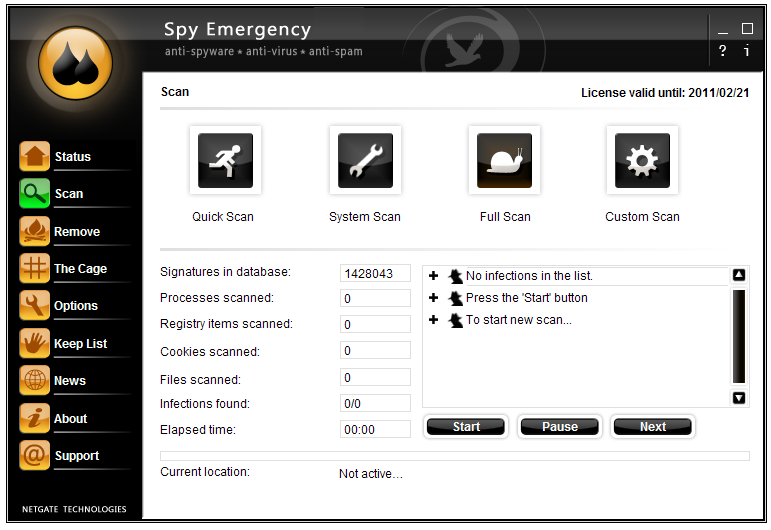
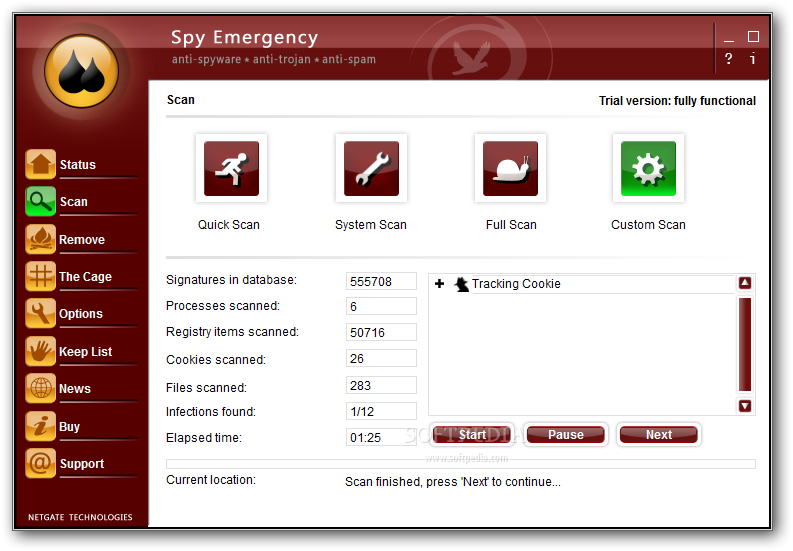
Recently there has been a wave of updates in some software. One of them is NETGATE technologies' security software, Spy Emergency. Spy Emergency 2008 is a very nice security add-on for your PC and for their newly released 2009 edition, they went on some minor upgrades to further polish it into a better software.

One of the most noticable change users can spot is its user interface. It wasn't a surprise that NETGATE has been changing its software's user interface with every major releases, but then change is good: the GUI still looks pretty impressive.


The second thing is that the 2009 edition has a better memory management compared to previous releases. The program now splits processing modules into two separate processes instead of one and thus, its responsiveness has increased dramatically. Although the 2009 edition still bears the 2008 version's weakness of using up a very high CPU cycle during the scanning process, but comparing it to the 2008 edition, responsiveness is still, a big plus.

Of course, there are some things which Spy Emergency still retains. Its scanning engines and update module have not been change so users can expect the same update frequencies and capabilities, apart from the scanning engines and usability experienced in the 2008 version.

I have high regards of this security software and in my opinion, it is a much better paid-for scanner than other scanners such as Ad-Aware Pro and Spyware Doctor.
Read more >>

February 26, 2009

Auslogics Registry Cleaner Free


As time passes, an area where your PC store configuration information, namely the registry, will get cluttered and less organized. This is when you'll need the assistance of a maintenance tool called a registry cleaner. However, registry cleaners can be the making or the breaking of a PC's functionability, so choosing the right registry cleaner is an important thing when you are thinking of mantaining your PC at peak performance.

A few days ago Auslogics put out a new product called Auslogics Registry Cleaner. It is a freeware like its Disk Defragmenter counterpart and both are actually very useful products from Auslogics.

It has a very simple interface, mainly focusing on the product description and step-by-step instructions on how to use it. There are two options for registry scanning; a quick registry scan which the results can be safely deleted, and an advanced registry scan which will require user expertise in removing certain registry entries. There is also a recovery option for recovering a PC's registry in the case of a failed cleaning process. Scans are fast and results are shown very clearly in the windows without being too complicated. The application itself is very lightweight, and it will not bog the computer down when it is running a scan or a clean.

The first scene: Auslogics Registry Cleaner provides you the option of doing a quick or advanced scan.

The second scene: Auslogics will run a scan, prompting you with the scan time, amount of registry items scanned and the amount of errors found along the process.

The third scene: Auslogics will systematically list down the errors found according to sections in the registry.

After the cleaning, Auslogics will show a performance chart indicating how much your system has likely improved.

Auslogics Registry Cleaner works with Windows 2000, Windows XP, Windows Server 2003 and 2008, Windows Vista and Windows 7. It works with both 32-bit and 64-bit systems and is dual-core supported. It requires a minimum of 32MB disk space.

To download the free Auslogics Registry Cleaner now, click this link.
Read more >>

Color Chart for HTML-based Color Editing

Web designers and programmers give colors to their web-based application and web pages by editing numeric and alphabetical codes called "color codes" among a set of HTML codes which builds up a website. Different colors have different hex codes which literally allows thousands of colors to be edited into a website. Of course, it is impossible for us to memorize all of the color codes. Therefore, we shall enlist the aid of a certain chart called a color chart.

Color charts basically contain most of the popular colors and the hex code tagged with it. To insert a color into a web-page, web designers first look at the color charts and determine which colors they wanted and from there, they sort out the color hex code and edit it into their HTML scripts.

C0lor Charts with their respective codes (Click for larger image)

Even if you are not a web designer, basic color editing is still considerably useful, for example, editing the colors in a blog. I build up this blog's color by editing the layout's color, and there's when editing the color hex code comes into play!
Read more >>

February 13, 2009

Splash Screen for Mozilla Firefox

Apart from browser security, Firefox is famous for its highly configurable and customizable design through installing add-ons. Among those customization features, Mozilla came up with the idea of adding splash screen to its trademark product, Firefox. While not being particularly useful, it is nevertheless, fun and a brilliant attempt of spicing up Firefox.

Splash! is a firefox add-on which polishes up a Firefox by showing a splash screen during its startup. To use Splash!, user must go to Firefox's add-on site and download it to their Firefox. After restarting Firefox, you can see by default, a Firefox name and logo with a white background loading up before the Firefox window takes up the screen.

The default Firefox splash screen

Splash! is also highly configurable. Users can change the startup message on the splash screen, create or apply custon image for the splash screen and some other minor tweaks such as adding custom sounds. Applying this add-on is encouragable not just because Firefox's startup is slightly longer than other browsers (maybe we need a little entertainment lol), it is a great add-on for both Firefox lovers and GUI enthusiasts.

A custom Firefox splash screen

Splash! works with Firefox 1.5 & above.

Download Splash! for Mozilla Firefox here.
Read more >>

Review Digital Plexus

I do not know how well this blog is doing unless there are feedbacks. Please do leave a review or two with us on how you think about Digital Plexus, its authors or the qualities of the posts. Good and bad comments are all welcomed, but please avoid posting rude/obscene comments that are not helpful to any of us working on this blog:

Disclaimer:

This blog is dedicated for the benefits of those who seeks experiences, knowledge or information in the computer, IT news, technology and software & hardware area. Digital Plexus cannot control how readers use the information, including any fraudulent conducts, illegal activities or deeds as regard by the law. Therefore, Digital Plexus & its authors shall not be liable to any damages caused by readers who misuse the information provided.

Digital Plexus utilizes information from many sources, including personal experiences of authors. Digital Plexus will never claim credits or ownership rights regarding the information it used in the blog, except for the raw articles posted on the blog - those are original materials written by the authors of Digital Plexus itself after the compilation of various information and/or experiences.

Followers

  © Blogger templates 'Neuronic' by Ourblogtemplates.com 2008

Back to TOP